Oracle 19c RAC: Real Application Clusters In Depth
Oracle Real Application Clusters (RAC) is the gold standard for active-active database high availability. After deploying and managing 19c RAC clusters for banking, pharma, and software-product customers across multiple countries, I can say with confidence: when configured correctly, RAC delivers zero-downtime architecture that no other database technology matches. This guide is the comprehensive technical walkthrough I wish existed when I first started with RAC.
Key Takeaways
- Oracle RAC runs multiple database instances on separate servers against ONE shared database — if a node dies, the others keep serving. That is server-level HA, not disaster recovery.
- Grid Infrastructure (Clusterware + ASM) is the foundation; voting disks and OCR decide cluster membership, and losing quorum means node eviction by design.
- Cache Fusion ships data blocks between instances over the private interconnect instead of through disk — which makes interconnect latency the single most important performance factor in RAC.
- Never let applications connect to instances directly. Services with TAF or Application Continuity are what turn a node crash into a non-event for users.
- Rolling patching — one node at a time, zero downtime — is RAC's biggest operational payoff, but only if you rehearse it.
- RAC protects against server failure inside one site; Data Guard protects against losing the site itself. Serious estates run both.
1. What Is Oracle RAC and Why Use It?
Oracle RAC allows multiple Oracle instances on different physical/virtual servers to access a single shared database. Each instance — running on its own node — has its own memory (SGA), background processes, and resources, but they all read and write to the same set of datafiles stored on shared storage (ASM disk groups).
The distinction matters: it is one database, many instances. Kill a node with the power button and the application keeps running on the survivors, because the data was never "on" that node in the first place. I have demonstrated exactly that to nervous IT directors more than once — pulling the plug on a live node is still the most convincing RAC sales pitch I know.
Why deploy RAC?
- High Availability: If one node fails, surviving nodes continue serving the database transparently
- Scalability: Add more nodes to handle increased load
- Load Balancing: Workload distributed automatically via SCAN listeners and services
- Zero-downtime patching: Rolling patches across nodes one at a time
- Hardware utilization: All nodes are active — no idle standby waste
2. RAC Architecture: The Big Picture
A typical 2-node Oracle 19c RAC has these components:
- Two or more nodes (physical servers or VMs) running the same OS
- Shared Storage — SAN or NAS visible from all nodes
- Private Interconnect — dedicated network (10 GbE+) between nodes for cache fusion
- Public Network — for client connections and SCAN
- Oracle Grid Infrastructure (GI) — Clusterware + ASM
- Oracle Database 19c — RAC option installed
Each node also carries a VIP (virtual IP). When a node dies, its VIP fails over to a surviving node and immediately refuses connections — so clients get a fast "connection refused" instead of hanging on a TCP timeout for minutes. Small detail, huge difference in perceived failover speed.

3. Oracle Grid Infrastructure: The Foundation
Before you can install RAC, you must install Oracle Grid Infrastructure 19c. GI provides two critical services:
3.1 Oracle Clusterware (CRS)
The clusterware is the software layer that lets multiple servers act as a single cluster. Key components:
- Cluster Ready Services (CRS): The master daemon coordinating cluster resources
- Cluster Synchronization Services (CSS): Monitors node membership using voting disks
- Event Manager (EVM): Publishes cluster events
- Oracle Notification Service (ONS): Distributes alerts to clients
- ohasd: The first daemon to start; bootstraps everything else
Cluster status is checked with:
crsctl check cluster -all
crsctl status resource -t
crsctl status server
olsnodes -n -i -s
Knowing the commands is half the job — reading the output is the other half. Here is what olsnodes -n -i -s -t gives you on a healthy 2-node cluster:
$ olsnodes -n -i -s -t
racnode1   1   racnode1-vip   Active   Unpinned
racnode2   2   racnode2-vip   Active   Unpinned
What I look at: every node should say Active. If a node shows Inactive, it has left the cluster — go read its ocssd log before anything else. The number is the node ID (used in trace files), and "Unpinned" is normal on 19c.
For crsctl check cluster -all, I want three lines of "online" per node:
$ crsctl check cluster -all
**************************************************************
racnode1:
CRS-4537: Cluster Ready Services is online
CRS-4529: Cluster Synchronization Services is online
CRS-4533: Event Manager is online
**************************************************************
racnode2:
CRS-4537: Cluster Ready Services is online
...
CSS online but CRS offline on one node is a classic pattern: the node is IN the cluster but its resources have not started — usually a failed resource dependency or an ASM problem. And in crsctl status resource -t, ignore the wall of text and scan the STATE column for anything that is not ONLINE, plus the TARGET column: TARGET=ONLINE with STATE=OFFLINE means clusterware is trying and failing — that resource is your problem child.
3.2 Automatic Storage Management (ASM)
ASM is Oracle's volume manager and file system for database files. It pools shared disks into disk groups with automatic striping, mirroring, and rebalancing. Critical disk groups in a typical RAC:
- +OCR/VOTING: Cluster registry and voting disks (NORMAL redundancy = 3 disks minimum)
- +DATA: Datafiles, controlfiles, online redo logs
- +RECO: Fast Recovery Area — archive logs, RMAN backups, flashback logs
ASM deserves its own article — and it has one: my full ASM storage guide covers disk groups, redundancy levels, and rebalancing in depth.
4. SCAN: The Single Client Access Name
SCAN is one of the most elegant features of Oracle RAC. Instead of clients knowing every node's IP, they connect to a single DNS name (e.g., prod-scan.company.com) that resolves to 3 SCAN IPs round-robin. Three SCAN listeners run across the cluster nodes, accepting client connections and routing them to the appropriate node based on service registration and load.
Benefits: clients don't need configuration changes when nodes are added/removed. Add a node? It registers with SCAN automatically.
5. Voting Disks & OCR
- Voting Disks: Used for cluster membership decisions. If a node loses access to the majority of voting disks, it's evicted (rebooted) to prevent split-brain. Minimum 3 voting disks for NORMAL redundancy.
- Oracle Cluster Registry (OCR): Stores cluster configuration metadata — node list, services, resources. Backed up automatically every 4 hours.
6. Cache Fusion: How RAC Maintains Consistency
This is the magic of RAC. When Node A modifies a block, Node B needs the latest version. Instead of writing to disk then reading, RAC ships the block directly between instances over the private interconnect using Cache Fusion. The Global Cache Service (GCS) coordinates ownership; the Global Enqueue Service (GES) manages locks across nodes.
Here is the story of one block transfer, concretely. A user on instance 1 runs an UPDATE against invoice row 4711; the block holding it lives in instance 2's buffer cache, dirty, because someone there just changed a neighbouring row. Instance 1 asks the block's master (the GCS process responsible for that block — could be any instance) "who has it?". The master tells instance 2: ship your current copy to instance 1. Instance 2 sends the block across the interconnect, downgrades its own copy, and instance 1 now holds the current version and makes its change.
Total disk I/O in that whole exchange: zero. The user on instance 1 sees a wait event like gc current block 3-way — "3-way" because three instances were involved (requester, master, holder). On a 2-node cluster you only ever see 2-way, and no transfer ever takes more than 3 hops regardless of cluster size — that is a deliberate design ceiling.
The rule of thumb I use when reading AWR: a few milliseconds per gc block transfer is healthy. When gc cr block busy or gc buffer busy acquire climb into your top-5 waits, the instances are fighting over the same blocks — that is an application locality problem, not a network problem, and no switch upgrade will fix it.

6.1 The Private Interconnect: Where RAC Projects Go Wrong
This is why low-latency private interconnect is non-negotiable. 10 GbE minimum, ideally 25 GbE or InfiniBand for high-throughput systems. But bandwidth is the headline number; latency and isolation are what actually hurt you. Gotchas I have hit in real deployments:
- Shared switches. A network team once ran our "private" interconnect through the same switch fabric as the backup VLAN. Every night at backup time, gc waits tripled. The interconnect must be physically dedicated — its own switches or at minimum a strictly isolated, non-routable VLAN.
- Wrong MTU. Jumbo frames (MTU 9000) help Cache Fusion because a database block fits in one frame — but ONLY if every port on the path agrees. One switch port left at 1500 causes fragmentation and mysterious intermittent slowness that takes weeks to find.
- Firewall in the path. If anyone puts a firewall or inspection device between RAC nodes, evictions follow. Heartbeat traffic must flow with zero interference.
- No redundancy. Use two interconnect NICs with HAIP (Oracle gives you this from GI automatically when you register multiple private networks). One NIC is one cable-pull away from an eviction.
Verify what the cluster is actually using — not what the design document says it uses:
$ oifcfg getif
ens192  10.10.1.0    global  public
ens224  192.168.77.0 global  cluster_interconnect,asm

SQL> SELECT name, ip_address FROM v$cluster_interconnects;
NAME     IP_ADDRESS
-------- ---------------
ens224   169.254.14.209   -- HAIP address: good sign
7. Installing Oracle 19c RAC — High-Level Steps
- Pre-requisites: OS (Oracle Linux 7/8), shared storage configured, time sync (chrony/NTP), DNS for SCAN, swap, hugepages
- Configure SSH user equivalence between nodes for
oracleandgridusers - Run cluster verification:
./runcluvfy.sh stage -pre crsinst -n node1,node2 -fixup - Install Grid Infrastructure 19c via OUI (gridSetup.sh) — choose "Configure Oracle Grid Infrastructure for a New Cluster"
- Create ASM disk groups for OCR/VOTING, DATA, RECO
- Install Oracle Database 19c software only as
oracleuser - Create the RAC database using DBCA — choose RAC database template
- Verify cluster health with
crsctl status resource -t - Apply latest Release Update patch (always run latest RU)
One habit that has saved me repeatedly: do not skip runcluvfy.sh, and do not ignore its warnings just because the installer lets you. Almost every painful RAC install I have rescued traced back to a cluvfy warning someone clicked past — usually DNS, time sync, or a missing kernel parameter.

8. Essential RAC Management Commands
Master these — they're your daily companions:
# Cluster health
crsctl check cluster -all
crsctl status resource -t

# Database management
srvctl status database -d MYDB
srvctl start database -d MYDB
srvctl stop database -d MYDB -o immediate
srvctl config database -d MYDB

# Instance management
srvctl start instance -d MYDB -i MYDB1
srvctl stop instance -d MYDB -i MYDB2 -o transactional

# Services
srvctl add service -d MYDB -s OLTP -preferred MYDB1,MYDB2
srvctl start service -d MYDB -s OLTP
srvctl status service -d MYDB

# SCAN and listeners
srvctl status scan
srvctl status scan_listener
lsnrctl status LISTENER_SCAN1

# ASM
asmcmd lsdg
sqlplus / as sysasm
SELECT name, state, total_mb, free_mb FROM v$asm_diskgroup;
A reading tip for srvctl status database: the output tells you where instances are running, not whether they are healthy. This is what a partial outage looks like:
$ srvctl status database -d MYDB
Instance MYDB1 is running on node racnode1
Instance MYDB2 is not running on node racnode2
"Is not running" from srvctl plus ONLINE for the node in crsctl means the cluster is fine but the instance died — check the instance alert log, not the clusterware logs. If BOTH srvctl and crsctl show the node gone, work the other way: OS, network, storage first. That one distinction routes 80% of RAC triage correctly.
Also learn srvctl config database -d MYDB cold. It shows the spfile location, the password file, the disk groups, and the configured services — the facts you need at 2 AM when nothing starts and you cannot remember how the cluster was built.
9. Services, TAF & Application Continuity: Failover That Users Never Notice
How does an application survive a node crash without users noticing? Through services. A service is a named entry point to the database that clusterware can move between instances. Clients connect to the service via SCAN — never to an instance — so when a node dies, the service starts on a surviving node and new connections simply land there. Existing connections are handled by TAF or Application Continuity.
# A service preferring node 1, failing over to node 2
srvctl add service -d MYDB -s ERP_OLTP \
  -preferred MYDB1 -available MYDB2 \
  -failovertype AUTO -commit_outcome TRUE \
  -failoverretry 3 -failoverdelay 5 -notification TRUE

srvctl start service -d MYDB -s ERP_OLTP
The three levels of failover protection, in ascending order of magic:
- Connect-time failover: new connections go to a surviving node. Free with SCAN + services. In-flight sessions die.
- TAF (Transparent Application Failover): a failed SELECT can be replayed on another node automatically. In-flight transactions still roll back — TAF protects queries, not DML.
- Application Continuity (AC): the 19c-era answer. The driver records the session's work and REPLAYS in-flight transactions on the surviving node. Done right, a node crash mid-transaction is invisible — the user's commit succeeds on the other node.
My honest field experience: most ERP and legacy applications run happily on plain services + connect-time failover, because their connection pools reconnect gracefully anyway. I reach for AC when the business genuinely cannot tolerate a rolled-back transaction — payment posting, batch release in pharma manufacturing. It requires driver support (JDBC replay driver, ODP.NET) and testing, so treat it as a project, not a checkbox.
One more service trick I use constantly: separate services for separate workloads. ERP_OLTP preferred on both nodes, REPORTS preferred only on node 2. Instant workload isolation — the month-end reporting storm stays off the node your order-entry users live on.
10. Patching RAC: Rolling Updates
One of RAC's biggest wins — apply patches one node at a time with zero downtime:
- Drain connections from node 1 (relocate services)
- Stop services and instance on node 1
- Apply OPatch / OPatchAuto on node 1
- Start node 1, relocate services back
- Repeat for node 2 (and others)
Always test patches in non-prod RAC first. Quarterly Release Updates (RU) are recommended — my full patching workflow is in the OPatch & datapatch guide.
11. RAC Best Practices from 18 Years of Production
- Always use ASM — not raw devices or NFS for datafiles. ASM Filter Driver (AFD) is preferred over ASMLib in 19c.
- Separate networks: Public + Private (interconnect) on different switches
- Use private interconnect bonding for redundancy (HAIP gives you this)
- Hugepages: Configure for the entire SGA — improves performance significantly
- Time sync: Mandatory. Drift causes weird evictions. Use chrony.
- Use services: Never connect to instances directly. Services give you transparent failover (TAF/FAN/AC).
- Monitor cluster events: Set up Enterprise Manager or custom alerting on
crsctl eventsandcluster_interconnectshealth. - Document your topology: Node names, IPs, VIPs, SCAN, disk groups, services — keep current diagrams.
- Practice failover drills quarterly. Confidence comes from rehearsal.
12. Common RAC Issues & How to Fix Them
- Node Eviction: Usually a network or storage issue. Check
/var/log/messages,ocssd.log, network ping times. - Slow Cache Fusion: Check interconnect latency (
oradebug ipc). Look for "gc cr block 2-way" wait events. - Voting Disk Loss: If quorum lost, cluster shuts down. Restore from OCR backup with
crsctl replace votedisk. - ASM Imbalanced: Run
ALTER DISKGROUP DATA REBALANCE POWER 8;during low-load window. - OPatch failures: Always backup ORACLE_HOME with
opatch lsinventorysnapshot before patching.
13. A War Story: The Parallel-Query Storm That Nearly Evicted a Node
Let me tell you about a diagnosis on a two-node 19c RAC running a pharmaceutical manufacturing ERP. The symptom: every month-end, node 2 crawled, sessions piled up, and twice the node came within seconds of eviction — ocssd logged missed network heartbeats even though nobody had touched the network.
The AWR report told the real story. Top waits on both nodes: PX Deq events and gc buffer busy acquire, with interconnect traffic several times its normal baseline. The trigger was month-end MRP and costing reports — dozens of parallel queries kicked off together, and because parallel execution in RAC happily spreads PX slaves across nodes, every one of those queries was shipping intermediate results over the private interconnect.
The interconnect was saturated. And here is the dangerous part: cluster heartbeats share that same wire. When report traffic flooded it, heartbeat packets started arriving late, and CSS began counting toward an eviction. A reporting job nearly took down a production node — not through CPU, not through I/O, but through the network RAC depends on for its own survival.
The fix was policy, not hardware. We created a dedicated REPORTS service pinned to node 2, set PARALLEL_FORCE_LOCAL=TRUE so PX slaves stayed on the node where the query started, and capped concurrent parallel statements with Resource Manager. Interconnect traffic at month-end dropped to a quarter of its peak, and the eviction warnings never came back.
The lesson I carry from it: in RAC, the interconnect is a shared organ, not just a network link. Anything that floods it — parallel queries, massive cross-instance updates, a chatty application with no node affinity — is a cluster-stability problem wearing a performance-problem costume.
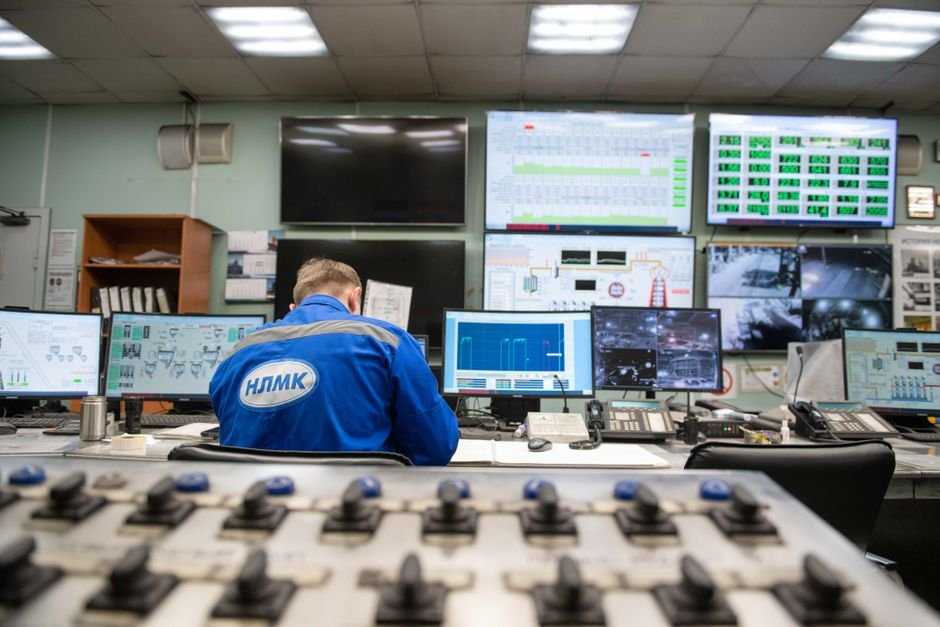
14. My Morning RAC Health Check
Every production RAC cluster I am responsible for gets the same five-minute check with the first coffee of the day. In order:
- Cluster stack:
crsctl check cluster -all— three "online" lines per node, no exceptions. - Resources:
crsctl status resource -t— scan for any STATE that is not ONLINE, and any TARGET/STATE mismatch. - Instances and services:
srvctl status database -d PRODandsrvctl status service -d PROD— every instance running, every service on its preferred node (a service sitting on its "available" node means a failover happened that nobody told me about). - ASM space:
asmcmd lsdg— free space in +DATA and +RECO; a full +RECO stops archiving, and a stopped archiver stops the database. - Eviction early-warnings: tail the ocssd log and OS messages on each node for missed heartbeats or storage path errors — these appear days before an actual eviction.
- Interconnect sanity: a quick look at
gcwait averages from last night's AWR snapshot; averages creeping up week over week are the earliest signal of interconnect trouble. - Backups: confirm last night's RMAN backup succeeded on whichever node ran it — a cluster that survives every failure but has no backup is still a disaster waiting.
Boring? Completely. But every serious RAC incident I have ever handled announced itself in one of those seven places first.
15. RAC vs Data Guard — or Both?
Which do you need? RAC and Data Guard solve different failures. RAC protects against a server dying inside one data center: another instance is already running, so recovery is measured in seconds. Data Guard protects against losing the whole site — fire, flood, power, storage corruption — by maintaining a standby database somewhere else.
What RAC cannot do: save you from shared-storage corruption (all nodes share the same disks), a site-wide outage, or a fat-fingered DROP TABLE (which happily replicates to every instance because it is one database). What Data Guard cannot do: give you seconds-level failover with zero data loss for a mere server crash, or scale active workload across machines.
My honest positioning after years of running both: if you can only afford one, buy Data Guard. A standby protects against far more failure classes than a second RAC node, at a fraction of the licensing and operational complexity. RAC earns its cost when downtime is measured in money per minute and even a 10-minute failover is unacceptable. And for genuinely critical systems — the banking and pharma cores I look after — the answer is both: RAC inside the primary site, Data Guard to a second site. That combination is Oracle's own Maximum Availability Architecture, and it is what I deploy when the business truly cannot stop.
16. When NOT to Use RAC
RAC is powerful but not always the right answer:
- Single-app workloads that don't need HA — overkill
- Limited budget — RAC requires shared storage, more licenses, complex setup
- Without skilled DBA — RAC needs expertise to operate safely
- For DR-only — use Data Guard instead
Best fit: mission-critical OLTP systems where downtime costs $$$ per minute — banks, telcos, airlines, ERP backends.
Frequently Asked Questions
What is the difference between Oracle RAC and Data Guard?
RAC runs multiple active instances against one shared database inside a single site, protecting against server failure with near-instant failover. Data Guard maintains a separate physical copy of the database at another location, protecting against site loss, storage corruption, and disasters. They are complementary, not competing — critical systems run both.
Can Oracle RAC run on just 2 nodes?
Yes — 2 nodes is the most common production configuration I see, and it delivers full high availability. The caveat is capacity: when one node fails, the survivor must carry the entire workload, so size each node for 100% of peak load. For N+1 headroom, go to 3 nodes.
What is split-brain in Oracle RAC?
Split-brain is the scenario where nodes lose contact with each other but both keep writing to the shared database independently — which would corrupt it. RAC prevents this with voting disks: nodes that cannot reach a majority of voting disks or the surviving cohort are forcibly evicted (rebooted). Eviction looks brutal, but it is the cluster protecting your data.
Does Oracle RAC need shared storage?
Yes, absolutely. Every RAC node must see the same disks — typically SAN LUNs presented to all nodes and managed by ASM. There is no RAC without shared storage; if you cannot provide it, the architecture you want is Data Guard, which keeps separate storage per site by design.
Is RAC worth it for small workloads?
Usually not. RAC adds licensing cost, shared storage requirements, and real operational complexity that a small workload rarely justifies. A single instance with a Data Guard standby gives excellent protection for far less money and skill overhead. RAC earns its keep when downtime is measured in money per minute.
What is Cache Fusion in Oracle RAC?
Cache Fusion is the mechanism that keeps all instances consistent: when one instance needs a data block that another instance holds in memory, the block is shipped directly across the private interconnect instead of being written to and re-read from disk. It is why interconnect latency dominates RAC performance.
Why do RAC nodes get evicted?
The three usual suspects: interconnect problems (missed network heartbeats), storage problems (a node losing access to the majority of voting disks), and severe resource starvation where clusterware processes cannot get CPU in time. Start the diagnosis in the ocssd log of the evicted node — it records exactly which heartbeat was missed.
The Bottom Line
Oracle 19c RAC is enterprise-grade software for enterprise-grade workloads. The complexity is real — but so is the payoff. A properly-architected, well-monitored RAC cluster delivers years of uninterrupted service. The mistakes happen when teams treat RAC like "just two databases" — it isn't. It's a single distributed system with its own behaviors, failure modes, and recovery patterns.
If your organization is planning a RAC deployment, migration, or troubleshooting an existing cluster, let's talk. I've architected and operated production RAC clusters across multiple industries — banking, pharma, software, manufacturing — and bring the rare combination of practical scars and architectural clarity that RAC demands.
🔗 Need RAC Setup or Support?
Oracle RAC configuration, troubleshooting, performance tuning, and migration. Free 30-minute consultation.

References & Further Reading
- 📄 Oracle Real Application Clusters Administration Guide (19c)
- 📄 Oracle Grid Infrastructure Installation Guide (19c)
- 📄 Oracle Automatic Storage Management Administrator's Guide (19c)
- 📄 Oracle Maximum Availability Architecture — RAC Best Practices
This guide is based on hands-on Oracle RAC deployment experience across banking, manufacturing, and pharma environments, and Oracle's official RAC documentation.